
Device ledger · PoE planner · 21 network tools
Know exactly what’s on your home network.
HomeNet is a device ledger, toolbox and power planner for the network at home or in a small office. Find devices with a scan, note what each one is and where it lives, and plan PoE power before you buy.
Coming soon to the App Store
One purchase for iPhone, iPad and Mac. No account, no ads, no tracking.
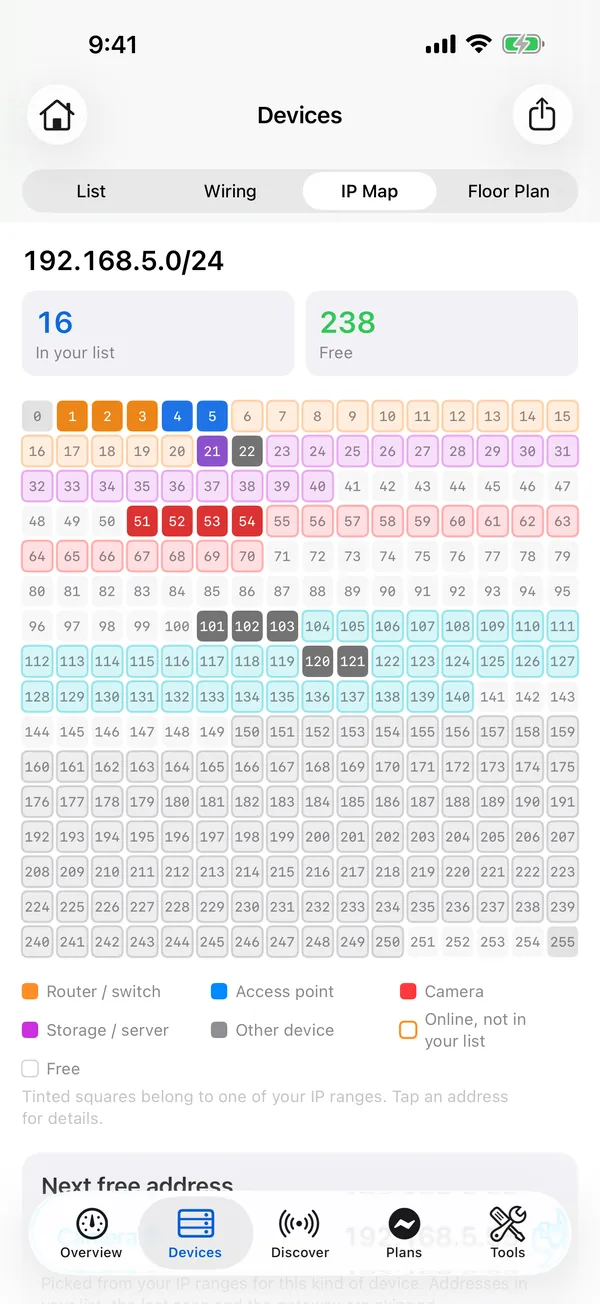
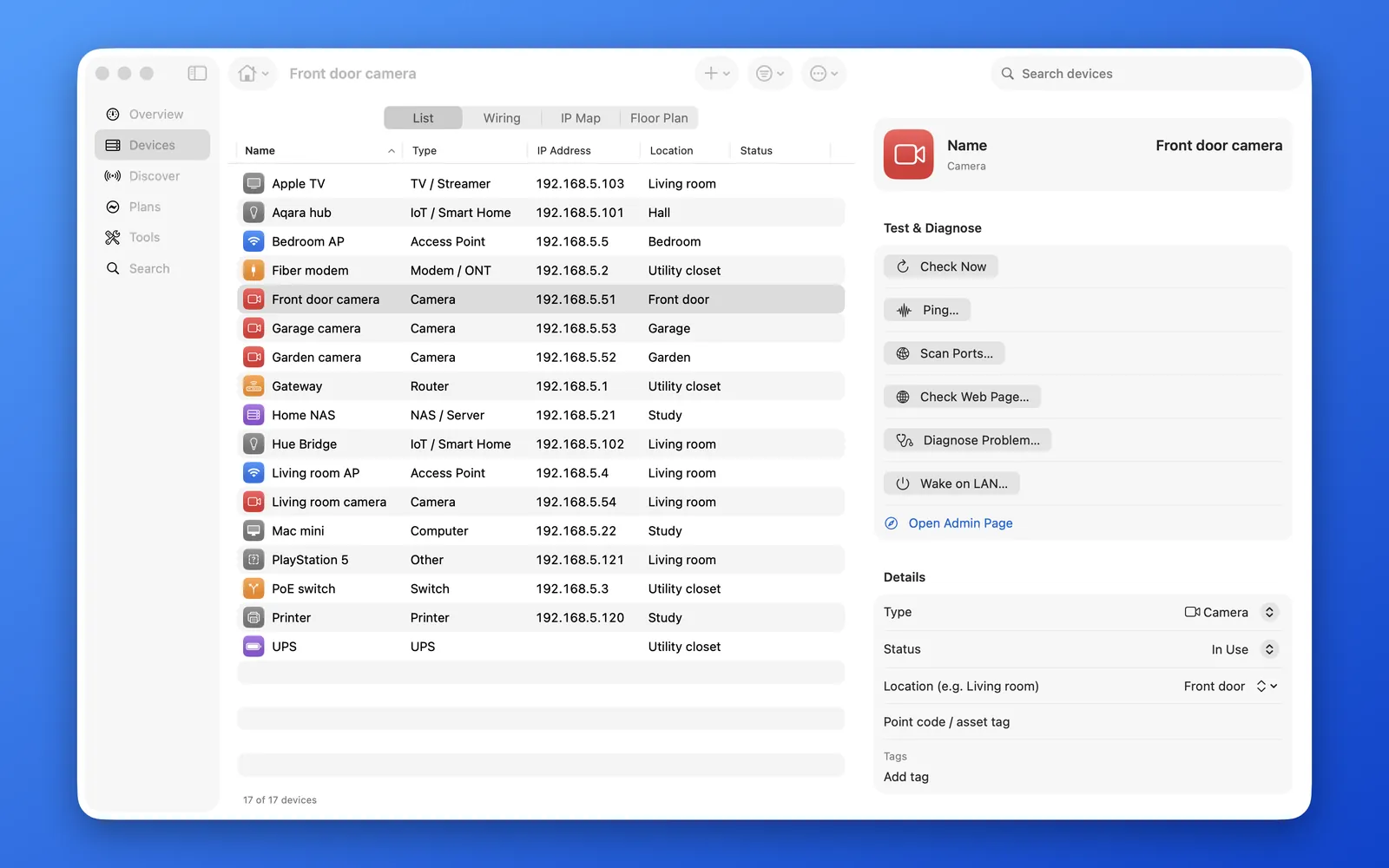
Sample network 192.168.5.0/24
16 devices found · 238 addresses free
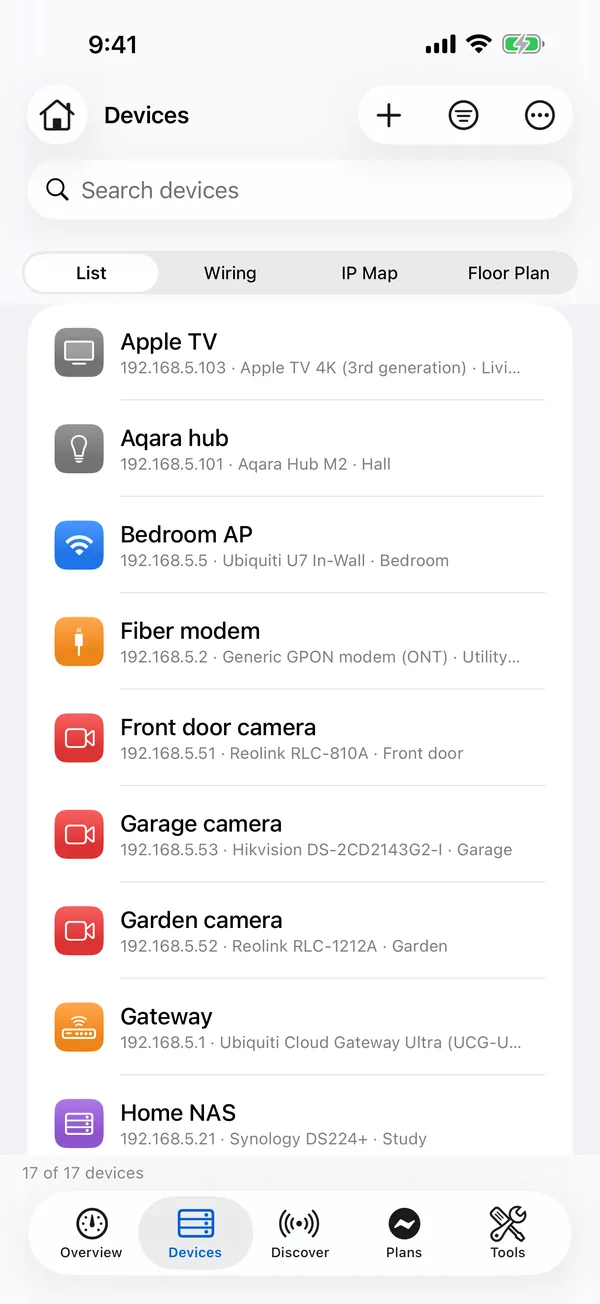
- 192.168.5.1: Gateway
- 192.168.5.2: Fiber modem
- 192.168.5.3: PoE switch
- 192.168.5.4: Living room AP
- 192.168.5.5: Bedroom AP
- 192.168.5.21: Home NAS
- 192.168.5.22: Mac mini
- 192.168.5.51: Front door camera
- 192.168.5.52: Garden camera
- 192.168.5.53: Garage camera
- 192.168.5.54: Living room camera
- 192.168.5.101: Aqara hub
- 192.168.5.102: Hue Bridge
- 192.168.5.103: Apple TV
- 192.168.5.120: Printer
- 192.168.5.121: PlayStation 5
Device ledger
Write each device down once.
- Keep every router, switch, access point, camera, NAS, printer and smart-home device in one list: name, type, model, IP and MAC address, location, purchase date, warranty, photos and notes.
- Track several sites: home, the office, your parents’ house.
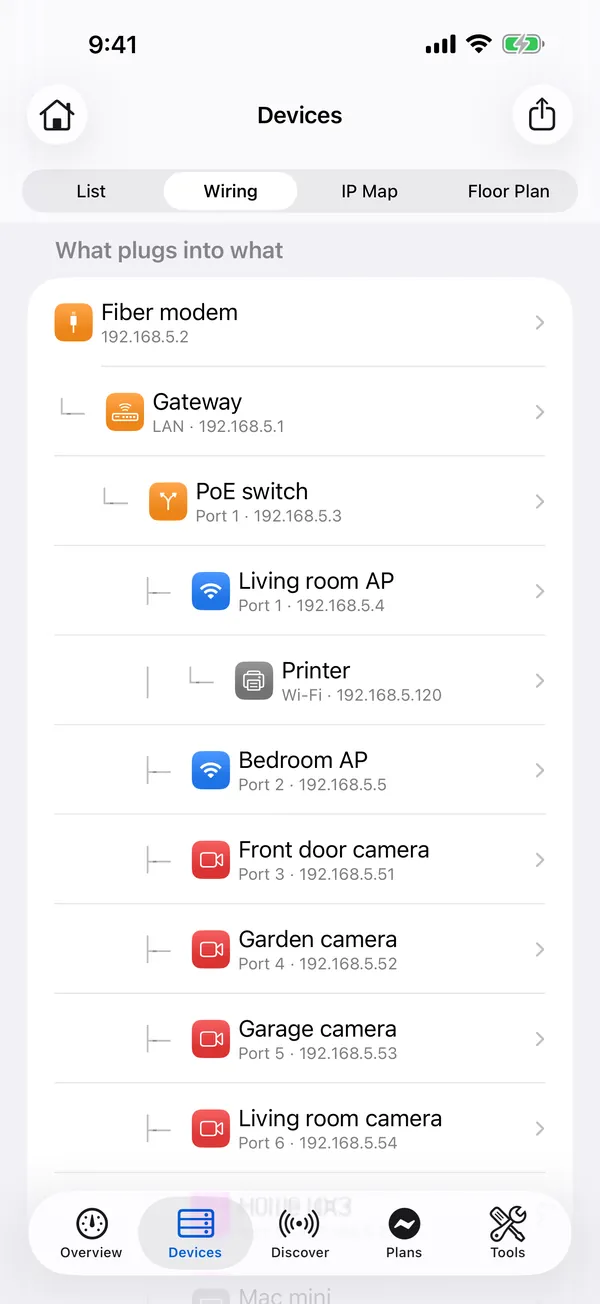
- The wiring view shows what is plugged into what. The IP map shows which addresses are used and which are free.
- Warranty reminders, a Recently Deleted folder that keeps items for 30 days, a duplicate finder, backups, and CSV and PDF export.
PoE power planner
Will the switch cope? Check before you buy.
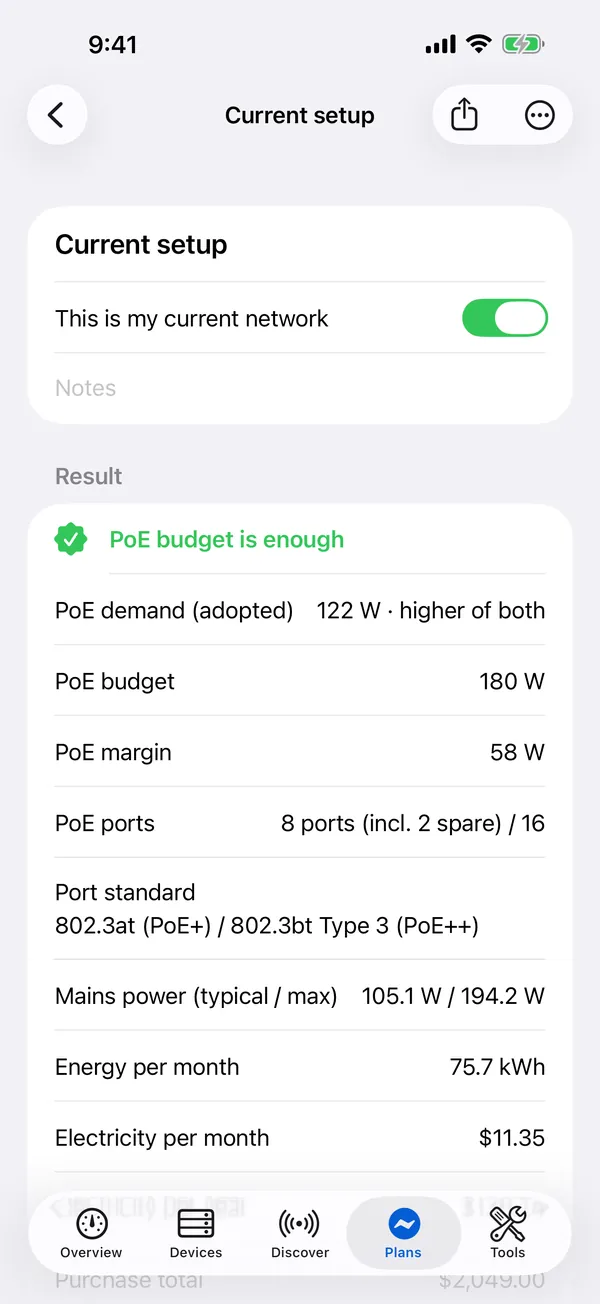
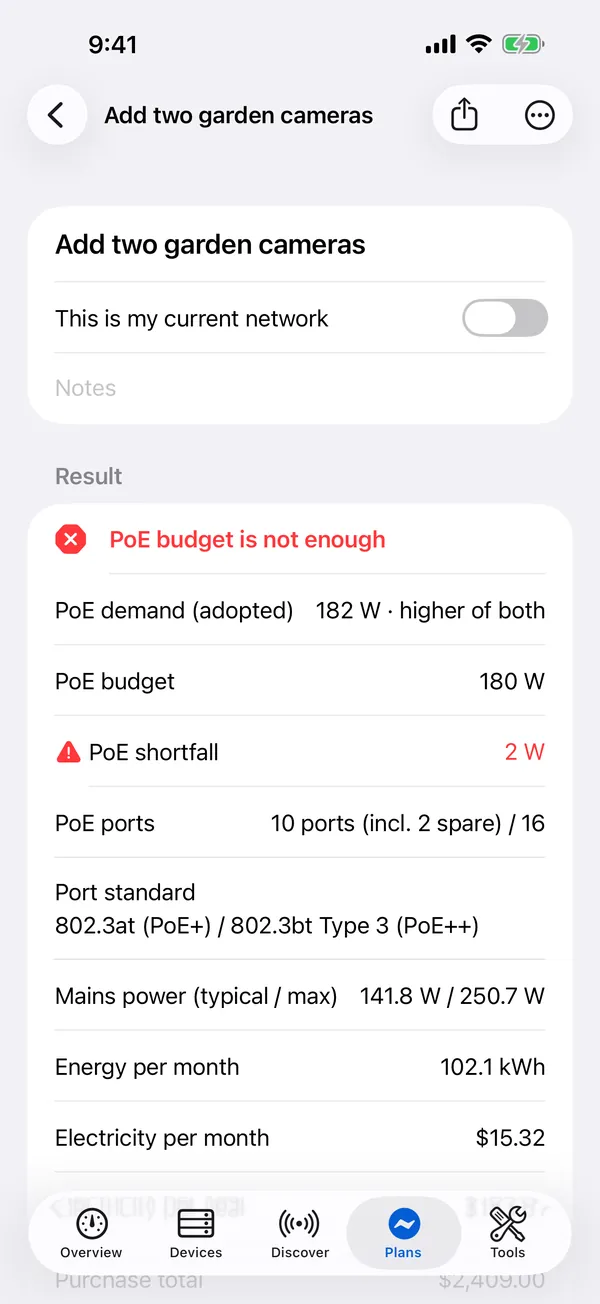
A sample plan with a 180 W PoE switch. Add two garden cameras and watch what happens to the budget.
PoE budget is enough
PoE budget is not enough
- PoE demand (adopted)
- 122 W
- 182 W
- PoE budget
- 180 W
- PoE margin
- PoE shortfall
- 58 W
- 2 W
Sample data
- Enter the switch’s power budget and ports, add devices, and see power draw, headroom, shortfall and monthly electricity cost at once.
- Compare plans side by side: “What if I add two garden cameras?”
- A model library of 280 devices, with power figures taken from the manufacturers’ published specifications and the source shown for every entry.
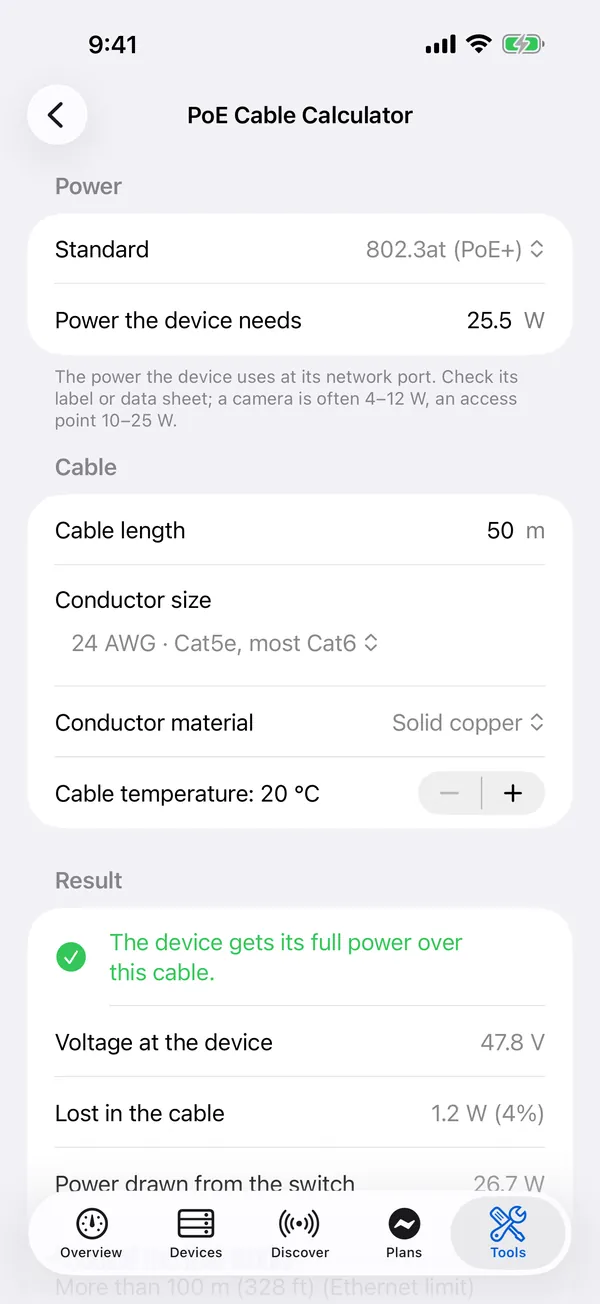
- A PoE cable voltage-drop calculator and a camera storage calculator.
Floor plans
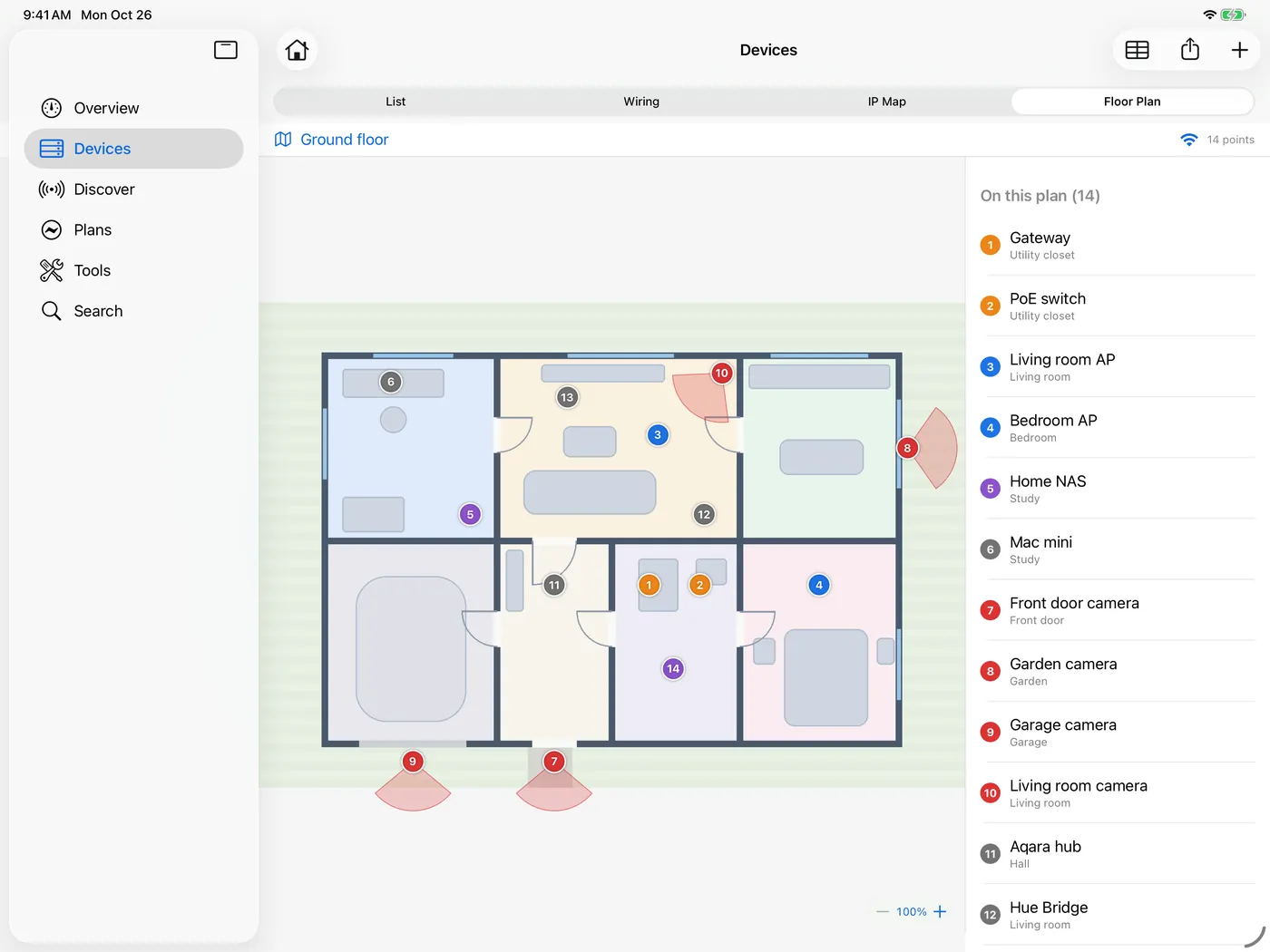
See where every device sits.
Pins on a floor plan show where each device lives. Wi-Fi Survey then paints a signal heat map on the same plan, so weak spots stand out.
21 tools
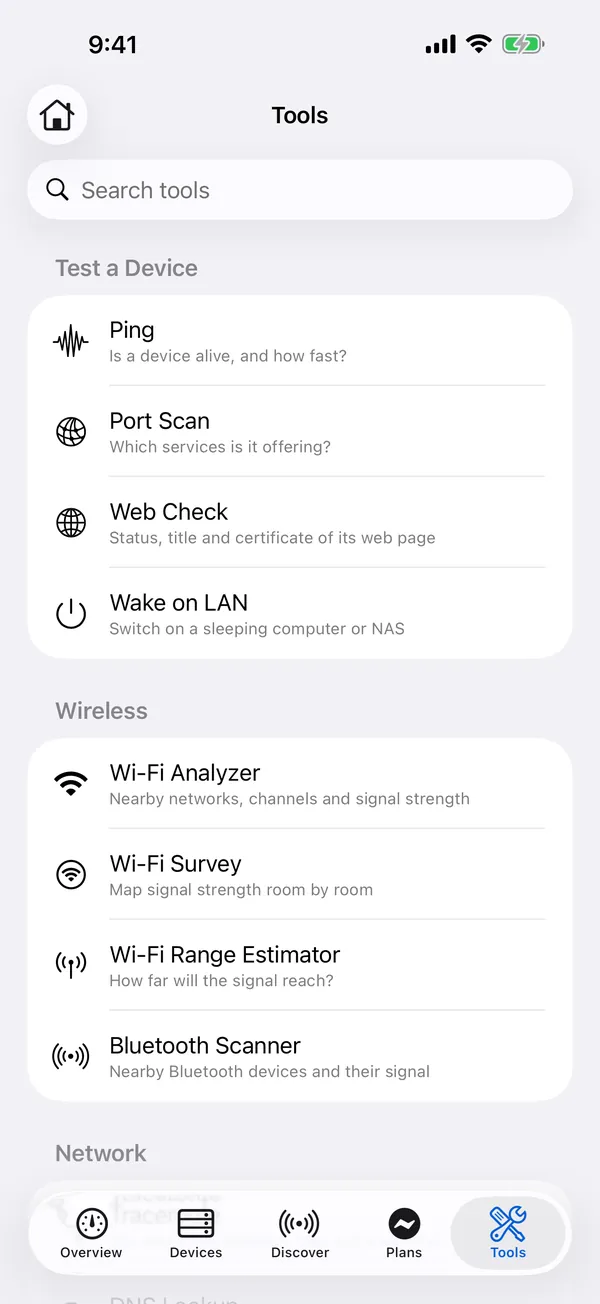
The checks you reach for when something stops working.
Ping a camera, scan a NAS for open ports, trace a route, measure DNS speed or read PoE port power from a switch, all inside the app that already knows your devices.
- Ping
- Port Scan
- Traceroute
- DNS Lookup
- DNS Speed Test
- Web Check
- Wake on LAN
- Bonjour Browser
- PoE Switch Reader (SNMP, read-only)
- Subnet Calculator
- MAC Vendor Lookup
- Wi-Fi Analyzer
- Wi-Fi Survey
- Wi-Fi Range Estimator
- Bluetooth Scanner
- Protocol Library (84 protocols)
- Mi Home Identifier
- Camera Stream Address
- Model Library
- and more
iPhone · iPad · Mac
One ledger on every screen.
Buy once and use HomeNet on iPhone, iPad and Mac. Your data syncs through your own iCloud. There is no HomeNet server.
Private by design
Your network stays yours.
No account, no ads, no analytics, no servers.
Your data stays on your devices and syncs through your own iCloud.
Account and Wi-Fi passwords live in the Keychain behind Face ID or Touch ID, never in the database, backups or exports.
HomeNet only sends read-only requests to devices you choose and never changes their settings.
Handy every day
Always within reach.
Home Screen widgets, Spotlight search and Shortcuts actions (ping a device, look up its IP address, check the network).
On Mac: a menu bar item and keyboard shortcuts.
Eight languages: English, 简体中文, 繁體中文, 日本語, 한국어, Deutsch, Français and Español.
Good to know
Can HomeNet scan for nearby Wi-Fi networks on iPhone?
iPhone and iPad don’t let apps scan for nearby Wi-Fi networks (an iOS rule), so HomeNet measures the network you are connected to. On Mac it lists nearby networks and channels.
Why does the Wi-Fi tool ask for Location?
Showing a Wi-Fi name needs Location access. HomeNet never reads or stores where you are.
Which devices does it run on?
iPhone and iPad with iOS or iPadOS 18.6 or later, and Mac with macOS 15.1 or later. One purchase covers all three.
Do I need an account?
No. There is no account and no server. Your data stays on your devices and syncs through your own iCloud; you can switch sync off in Settings.
Can I scan any network?
Scan and probe only networks you own or are allowed to test. HomeNet only sends read-only requests to devices you choose and never changes their settings.
Ready to see your whole network in one place?
One purchase for iPhone, iPad and Mac. No account, no ads, no tracking.
Coming soon to the App Store